Know labour’s running over today, not when the P&L lands.
Worksauce forecasts each day’s sales and tracks labour cost against them as the day runs, for every site. When labour crosses your target, the person running the shift hears about it while there’s still time to act.
By the time the numbers arrive, the day they describe is long gone.
-
The P&L lands a month late
Something changes your costs on the 1st. You find out a week after month end, when the P&L arrives and the money is already spent.
-
The roster is a guess made last week
Shifts are set days ahead. When the day turns out quieter than planned, nobody on the floor can see what that is costing until the timesheets come in.
-
Every site reports differently
One site is over, another is fine, and the numbers live in three systems. Comparing them means a spreadsheet someone builds on a Monday.
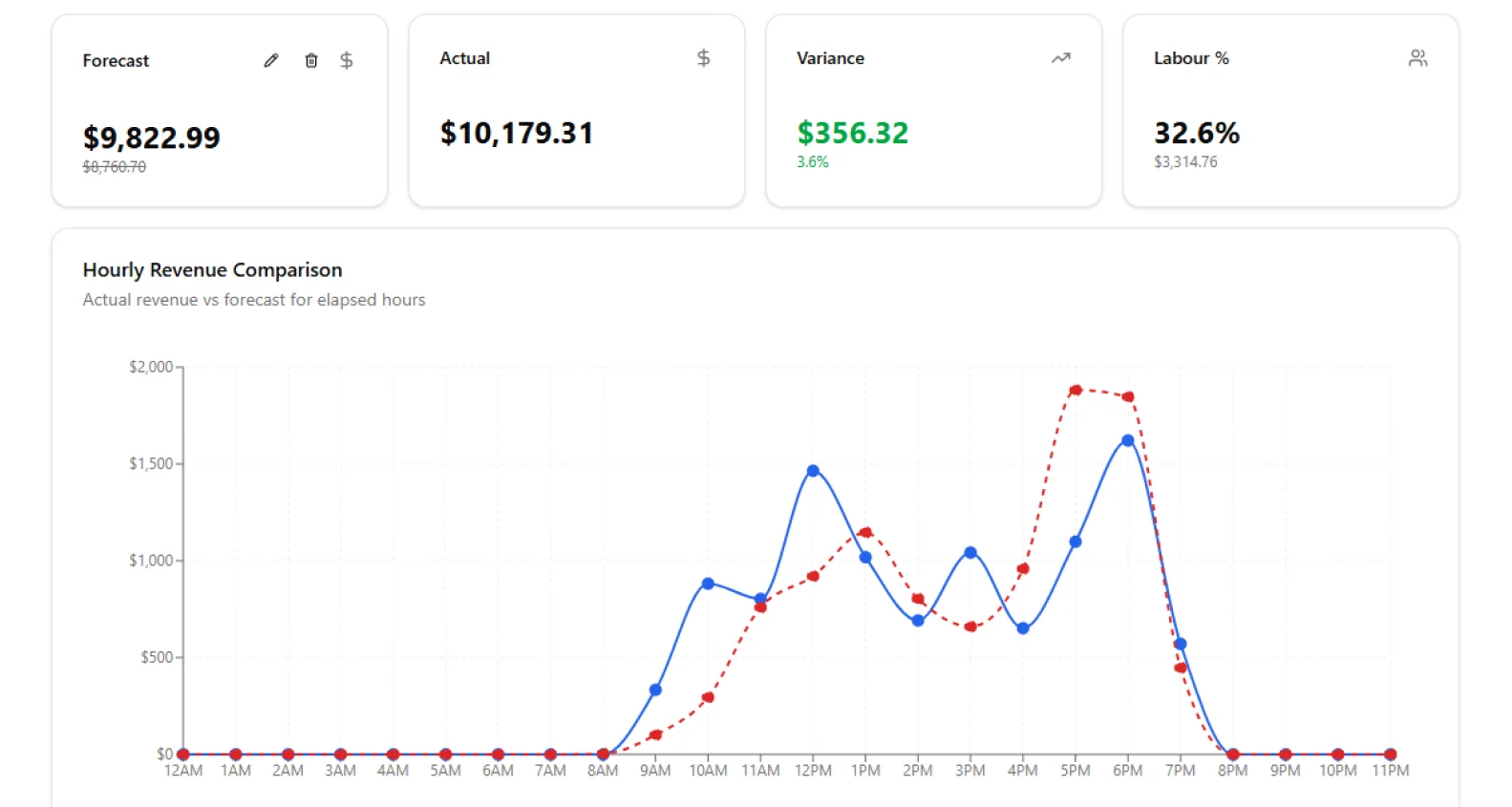
Labour against sales, while there's still time to act.
Illustrative figures
Plan tomorrow from what tomorrow will actually look like.
Each site gets a sales forecast for every hour of the day, with the reasons behind it. Roster to the forecast, with one fewer on when rain is due and past wet days were quieter.
- ✓Sales history for the same day, week and season
- ✓Bookings and events already in the calendar
- ✓The weather forecast for each site
See which site is over, without building a spreadsheet.
Every site’s sales, forecast and labour cost sit side by side, updated through the day. The one that has drifted is marked, so you know where to look first.
- ✓Sales, forecast and labour % for every site on one screen
- ✓Wages so far and people on shift, across the business
- ✓A section breakdown inside each site, so you can see where the cost sits
Two systems you already run, one number you didn’t have.
Labour cost only means something next to sales. Worksauce reads sales from your point of sale and hours from your rostering system, and works out labour as a share of sales hour by hour.
It needs two things: sales from Lightspeed or Square, and rosters and timesheets from Tanda, Deputy or Employment Hero.
The same numbers, for the person who owns the cost and the person on shift.
Know where labour stands today.
See labour cost against sales for every site, every day, instead of waiting for the month-end P&L. Spot the site that has drifted while there’s still time to fix it.
Make the call on the floor.
Know who should go home first, whether a wet morning needs one fewer on, and when the rain will thin out the afternoon. The answer is on your phone while the shift is still running.
Questions about Operational intelligence
More on connecting your systems, setup and your data in the FAQ, or ask us.
What do I need to connect?
Sales and hours. Sales come from Square or Lightspeed, and rosters and timesheets from Tanda, Deputy or Employment Hero.
What if my point of sale isn’t Square or Lightspeed?
You can upload your sales as a CSV file instead, one row per sale. Worksauce provides the template.
How is labour cost worked out?
From the hours in your timesheets and what each person is paid, set against the sales from your point of sale. Worksauce shows it as a percentage of sales for each day and each hour.
Can I set a labour target?
Yes. You set a labour target as a percentage of sales for each part of your team, and Worksauce shows your labour cost against it.
See your own numbers.
We'll walk you through it with your own Award and your own systems in mind.
By submitting you agree to our Privacy Policy.